
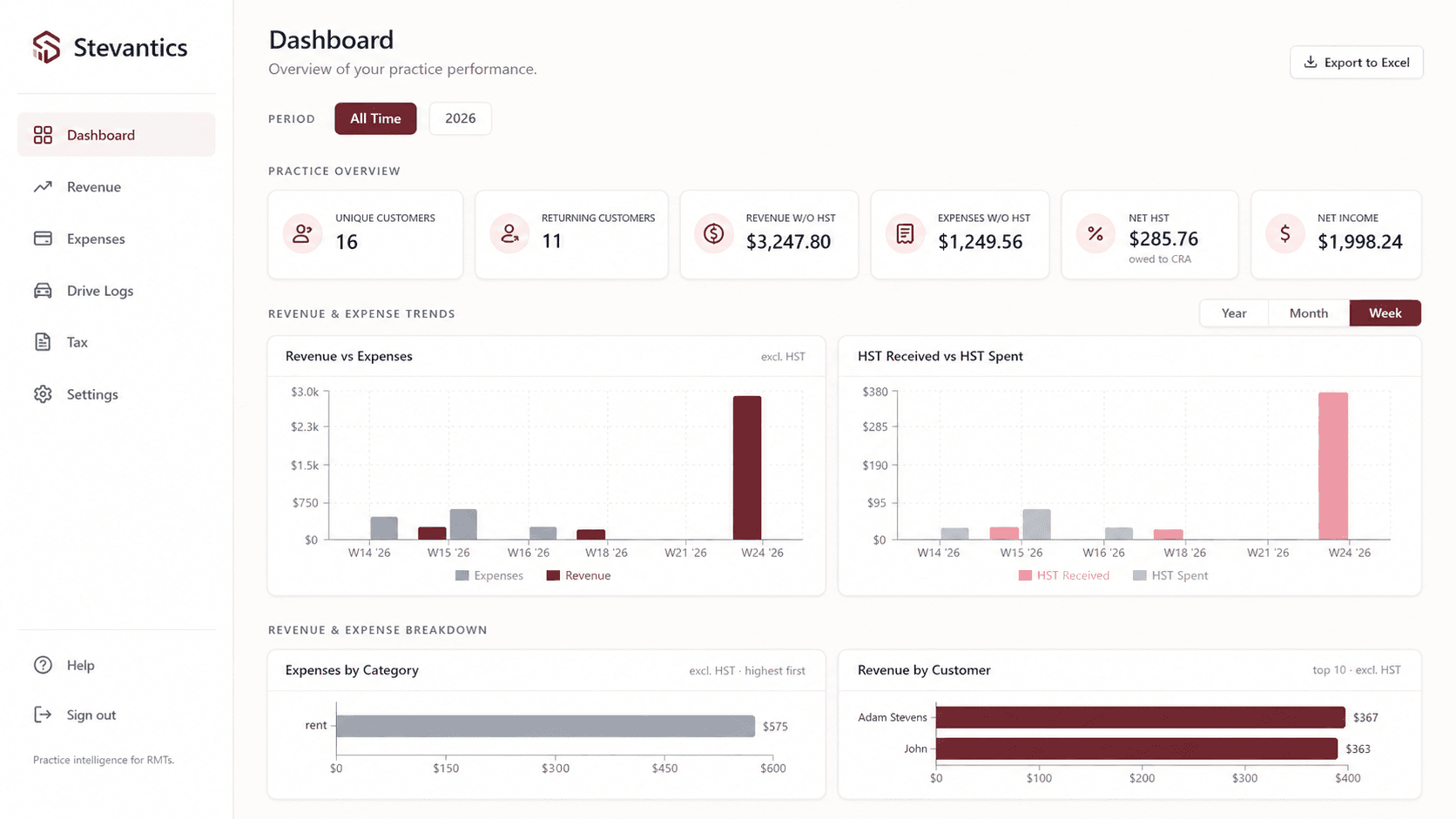
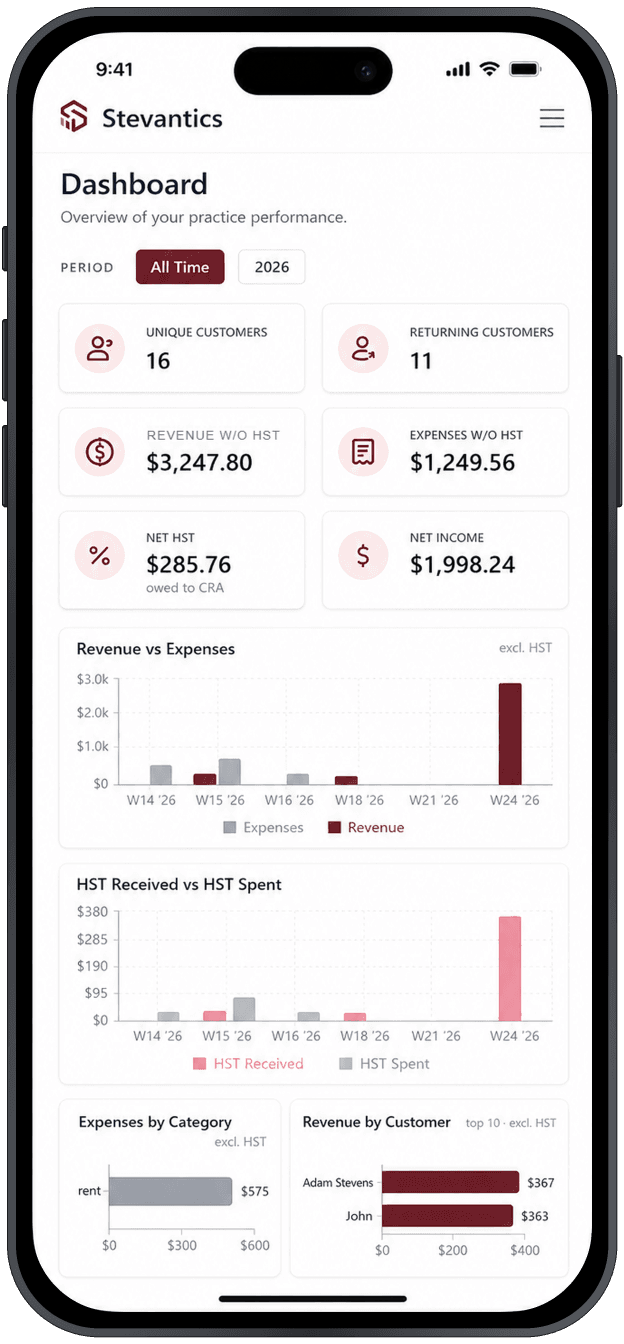
The Stevantics dashboard — practice overview, revenue, expenses and HST at a glance, on desktop and iPhone.
RMT payments don't fit standard accounting tools
Registered Massage Therapists get paid in ways generic bookkeeping tools aren't designed for. A single session might be paid partially up front, reimbursed in part by insurance weeks later, and have a remaining client balance paid even later — across cash, debit, credit, e-transfer and insurance.
HST must be tracked on a cash basis — tax is owed when money is received, not when a session is billed. Off-the-shelf tools typically accrue tax at the point of invoice, which creates ongoing reconciliation work for RMTs who file quarterly or annually.
The result: hours of manual spreadsheet work each quarter to reconcile actual cash received with what the software thought was owed.
Built around how an RMT actually earns
Stevantics separates the session from the payment. Each session records what was earned; an unlimited number of payment events — each with its own date, amount, method and source — record what was actually received.
Balances, payment status, KPIs and HST are calculated in database views — a single source of truth, so the dashboard, the tables and the printed reports always agree. HST is recognized on each individual payment, in the correct reporting period.
Year-end and quarterly reports are generated automatically — HST collected, expenses, net income — formatted and ready to hand to an accountant.
Everything the business side of a practice needs.
Client management
Every session and dollar ties back to a real client — visit history, total value and returning status, organized automatically.
Custom session types
Reusable templates with name, duration, category and price. Entry stays fast and consistent, and pricing is never hardcoded.
Revenue session tracking
Log what was delivered and what it's worth — even before a single dollar is received. Billed, paid and owing stay distinct.
Unlimited payment tracking
Partial payments, insurance reimbursements, mixed methods and delayed balances — every event recorded on its own date.
Outstanding balance tracking
The system surfaces exactly which sessions still need money, and how much — no manual checking, no missed payments.
Payment status at a glance
Unpaid, partially paid or paid — filterable status on every session, so attention goes only where it's needed.
Expense tracking with HST
Expenses by category with the pre-tax amount and HST paid split out automatically — including business-use percentage.
HST period reporting
Monthly or quarterly periods, HST collected from payments, HST paid on expenses and net HST owed — by the correct dates.
Print-ready reports
Clean revenue, expense and year-end summaries formatted for printing, PDF export and handing straight to an accountant.
Database-driven accuracy
Balances, statuses, KPIs and tax math live in SQL views — one source of truth, so every page shows the same numbers.
Historical snapshots
Sessions keep the price and details they were created with. Raise your rates next year — last year's records don't move.
Validation guardrails
Payments can't exceed the session total, and insurance payments require a provider — enforced at the database level.
Fast entry in, clean records out.
Screens recreated from the live platform. Session types pre-fill duration and price so logging a session takes seconds — and every expense carries its HST and business-use breakdown straight into tax reporting.
The Add Session form — pick a client and a session type, optionally record an initial payment in the same step.
The Expenses page — gross amounts split into pre-tax expense and HST paid, with business-use percentage applied automatically.
Tax season, already done.
HST collected is based on payment dates, HST paid on expense dates — so the numbers land in the correct period without spreadsheet formulas. The year-end report below is generated from the same database views as every other page, print-ready for an accountant.
The Year-End Tax Report — income, expenses and HST in one summary, with the net HST position calculated automatically.
The whole practice, in your pocket.
Record a payment the moment the insurance deposit lands, or check your net HST position from the couch. Everything works on iPhone — same data, same single source of truth.
From first session to tax filing, every record connects.
Clients & services
Reusable clients and priced session types
Log the session
What was delivered and what it's worth
Record payments
Any source, any date, any split
Balances & status
Unpaid → partial → paid, automatically
Cash-basis revenue
Income recognized when money arrives
HST & year-end
Net HST owed and print-ready reports
More than bookkeeping — financial clarity for the whole practice.
- ✓Know exactly who still owes you money
- ✓Stop reconciling insurance payments by hand
- ✓File HST with numbers you trust
- ✓See revenue the way the CRA does — cash in
- ✓Understand your top clients and services
- ✓Capture every expense and its HST credit
- ✓Replace spreadsheets with one source of truth
- ✓Hand your accountant a clean year-end report
- ✓Keep historical records safe from price changes
Running a service practice with messy finances?
If your business involves mixed payment sources, quarterly tax reporting or cash-basis accounting, let's talk about what a purpose-built system could do for you.